

A private seven-day Glow Plan
Your routine, made clear for today.
Build your plan before the camera. Follow one realistic daily focus. Connect real scans to honest progress.
- Plan first
- Private by design
- Cosmetic only
Quality checked
Linked to a real scan point.
- Clarity 86
- Hydration 79
- Texture 73
- Even tone 68
- Radiance 84
- Gentle cleanseCleanse
- Antioxidant serumTreat
- Light moisturizerHydrate
- SPF 30+ sunscreenProtect


Inside GlowKit
One system.
One system.
Four familiar places.
Everything has a clear home: daily actions in Today, optional tools in Kit, real evidence in Progress, and personal controls in Settings.
Your daily focus
See your Glow Plan day, quick check-in, focused routine, live SPF context, and next scan in one calm flow.
Sun, coach, and shelf
Check the hours ahead, ask a cosmetic routine question, and place products you already own into your plan.
Context, not guesswork
Filter by your goal, review real scan points, read seven-day routine and check-in context, and compare photos.
Make it yours
Choose Rose Glow or Midnight Ember, tune the accent and type, manage reminders, and control account data.
The Glow Plan loop
Plan first. Follow calmly. Review honestly.
Build
Answer a few bounded cosmetic preferences and get a realistic seven-day plan before camera access or payment.
Follow
Complete today's focus, log a quick feel check-in, use SPF context when helpful, and keep your routine editable.
Review
Connect baseline and follow-up scans to your goal, routine, and check-in context without turning missing data into a score.
The daily rhythm
The useful action stays closest.
GlowKit leads with the smallest helpful step, keeps optional tools in your Kit, and gives progress its own evidence-led space.
One-tap check-in before the routine
The quickest daily action comes first, followed by a short focus routine, SPF context, and the next useful scan.
- Glow Plan day and goal
- Daily feel check-in
- Focused routine tracking
Tools that belong to you
Sun context, Glow Coach conversations, and My Shelf have enough room to show real state instead of hiding as links.
- Hourly UV and SPF context
- Bounded cosmetic coaching
- Your manually saved products
Every mark says what it means
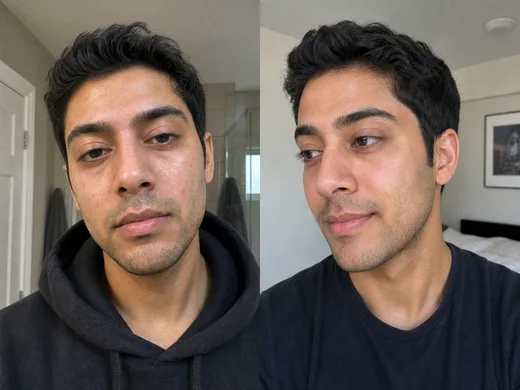
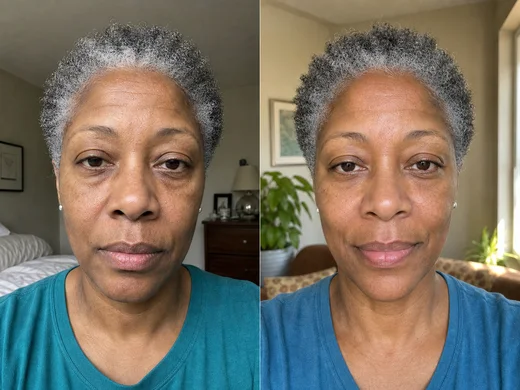
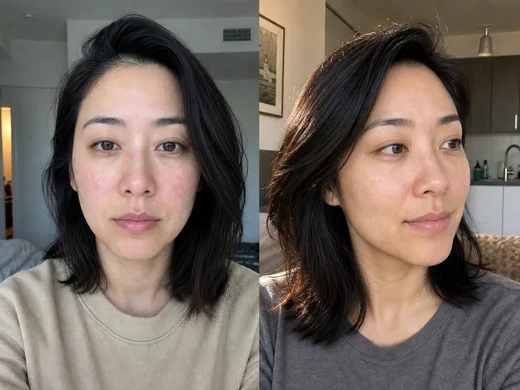
Real scan points, named routine and check-in tracks, history, and before/after comparison stay separate and readable.
- Goal-specific signal trend
- Seven-day context tracks
- Private scan comparison
Private by design
Your data stays yours.
Free guided previews are generated on device. Full cloud analysis sends only the photo you choose, and prepared scan photos can be stored privately for account progress.
We do not sell your photos, show them in ads, or use them to train AI models. You can review the full Privacy Policy, keep the scan tips checklist nearby for more consistent captures, and request account data deletion when you need it.
- Private account sync
- No ads or training
- Delete history in app
- Not medical advice
Pricing
Start with a useful plan. Upgrade when you want the complete loop.
Free includes the plan, a readable routine, basic daily tools, and a locked scan preview. Pro connects the full result, edits, check-ins, coaching, and progress history.
$0 forever
Build and use your Glow Plan first. No card required.
- Glow Profile and seven-day plan preview
- Readable Today routine and basic SPF context
- Up to three manually saved Shelf items
- One guided scan with locked preview
Weekly or annual
- GlowScore plus five-signal breakdown
- Routine edits, daily check-ins, and weekly insight
- Glow Coach conversations and proposed changes
- Unlimited My Shelf items
- Goal progress, history, and before/after
- 2 daily trial scans; unlimited after trial
Your App Store storefront shows the current price, trial eligibility, billing period, and renewal terms before purchase. Subscriptions renew until cancelled; restore purchases on any device.
FAQ
Questions, answered plainly.
What happens to my photos?
A free guided scan creates a locked local preview. Full Pro analysis sends your selected photo securely for analysis and can save it privately to your account. We do not sell photos, show them in ads, or use them to train AI models.
Is GlowKit a medical or dermatology tool?
No. GlowKit is a general wellness and cosmetic tool. It does not diagnose, treat, prevent, or cure any condition, and it is not a substitute for professional advice.
What is the GlowScore based on?
The GlowScore is a 0-100 summary drawn from five visible signals: clarity, hydration, texture, even tone, and radiance. It is designed for consistent personal trend tracking.
Do I have to pay to get anything useful?
No. The Glow Profile, local seven-day plan preview, readable Today routine, basic SPF context, and up to three Shelf items are available before Pro. A free guided scan also creates a locked preview. Pro connects the complete result, edits, check-ins, coaching, history, and comparison.
What are Glow Coach and My Shelf?
Glow Coach answers bounded cosmetic routine and progress questions and can propose a change for you to review. My Shelf is a manual list of products you already own; it does not search a catalog, verify claims, or send you to a retailer.
How do trials, billing, and restore work?
When your storefront marks you eligible, the annual plan includes a 7-day free trial with 2 full scans per local calendar day; paid Pro is unlimited after trial. Your current price and terms appear before purchase. Already subscribed? Use Restore purchases in the app.
Guides
Practical reading for steadier skincare decisions.
These English guides support GlowKit's strongest search topics: skincare cost per use, routine journaling, product reformulation tracking, and product comparison.
Routine budget
Calculate skincare cost per use without guessing
Use price paid, actual uses, and finish dates to understand routine cost and plan replacements.
Routine journalKeep a useful skincare journal without logging everything
Separate the stable plan, actual use, meaningful context, cosmetic observations, and next decision.
Product versionsTrack a skincare reformulation without losing routine history
Keep old and new versions separate, compare current label facts, and record the exact switch date.
Product comparisonCompare two skincare products without changing the whole routine
Compare label facts first, protect one stable baseline, and choose the review rule before looking for a winner.
Want the full cluster? Visit the GlowKit guides library for all current articles.